 Firefox
 Edge
 Brave
 Zen
Point at a paragraph
Rest your pointer on a paragraph or heading and a small icon appears. Click it and the Persian arrives underneath, so you read both side by side.
Or press Alt+B
Point at a paragraph and its Persian appears right underneath. Select a word for the meaning that fits the sentence, learn the grammar behind it, and keep the words worth remembering.
The best way to learn a language is to read things you actually care about.

بهترین راه یادگیری یک زبان، خواندن چیزهایی است که واقعاً برایتان مهماند.
Persian to English and English to Persian, with the direction detected for you. Your original page is never changed.
Rest your pointer on a paragraph or heading and a small icon appears. Click it and the Persian arrives underneath, so you read both side by side.
Or press Alt+B
Highlight a word or a passage. ParsiPad reads the sentence around it first, so a word gets the sense that fits, with pronunciation and examples.
Use the selection toolbar, or press Alt+T
ParsiPad tells you how many paragraphs there are and roughly what it will cost before it starts. Switch back to the original whenever you like.
Right-click, or press Alt+P
Built for Persian speakers learning English, so every translation can teach you something.
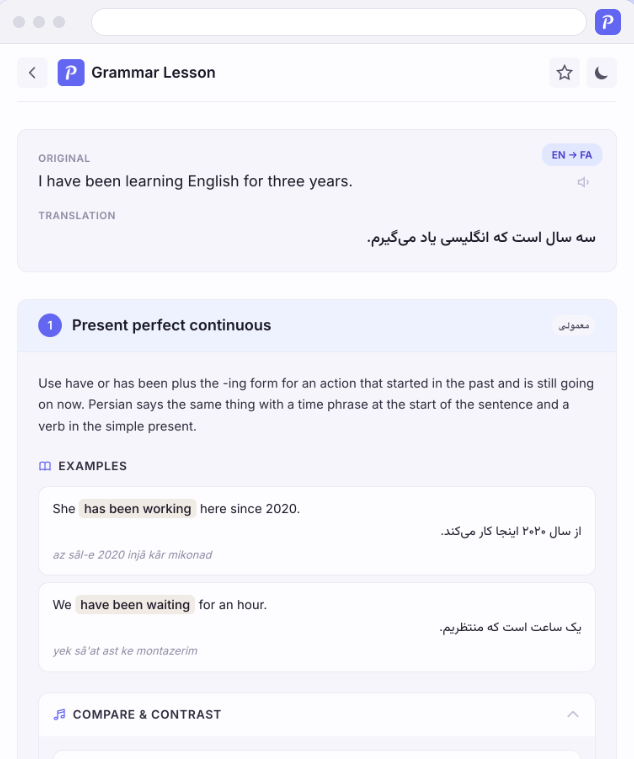
Any translation can explain itself. Open a full lesson with examples, pronunciation and a quiz built around the mistakes Persian speakers actually make.
Definitions, IPA pronunciation, synonyms and the Persian or English equivalent for any word. Press Alt+D.
Rewrite what you wrote as professional, conversational or concise English, regenerate any version you do not like, and put the one you pick straight back where you typed it.
Everything you translate, look up or polish, plus your favorites and saved lessons, in one searchable place.
Star a translation and it becomes a flashcard. Flip with Space, move with the arrow keys, and choose how many cards a session holds.
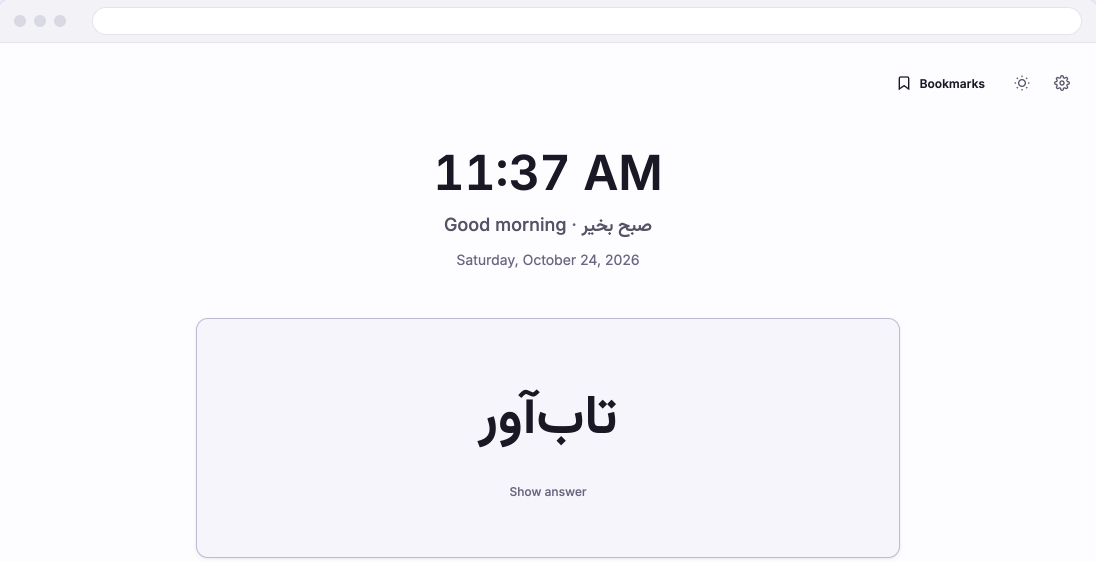
Each new tab shows one of your saved words to recall, with your bookmarks a keystroke away. Prefer your browser's own page? Switch it off in Settings.
What ParsiPad looks like on a real page and in its side panel.
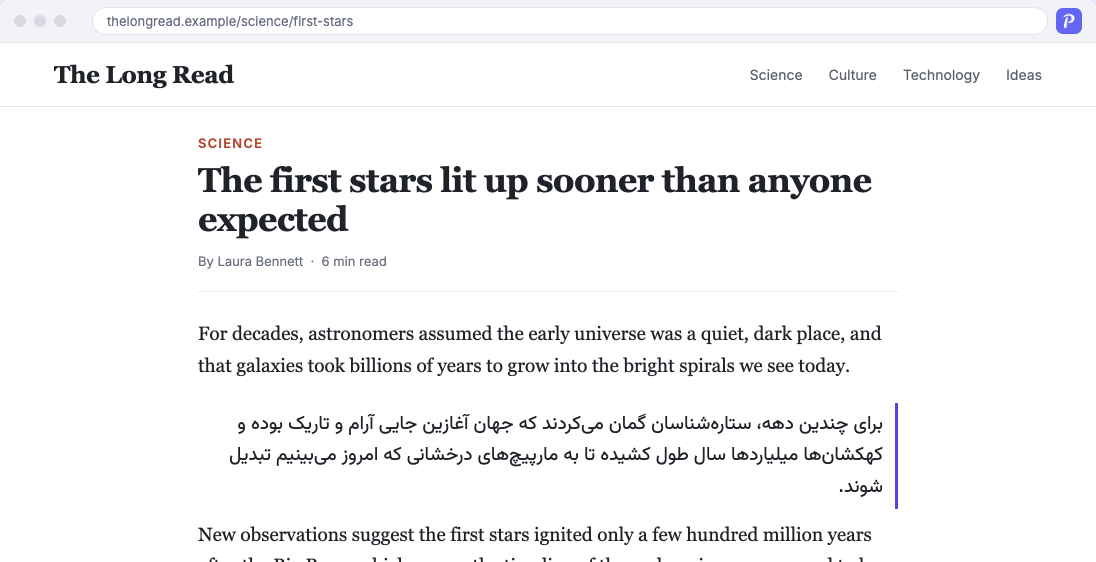
Rest your pointer on a paragraph, click the icon, and the translation arrives underneath it. The page itself stays exactly as it was, so you read both side by side.
Or press Alt+B
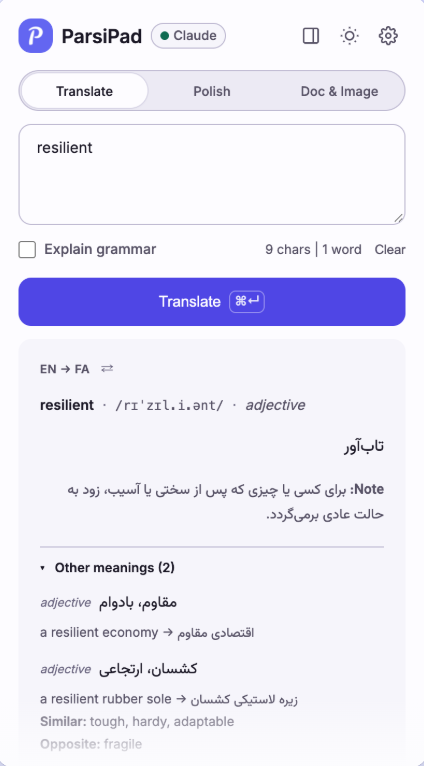
Select a word and ParsiPad reads the sentence around it first, so you get the sense that was meant, with pronunciation, a usage note, examples, synonyms and opposites.
Use the selection toolbar, or press Alt+T
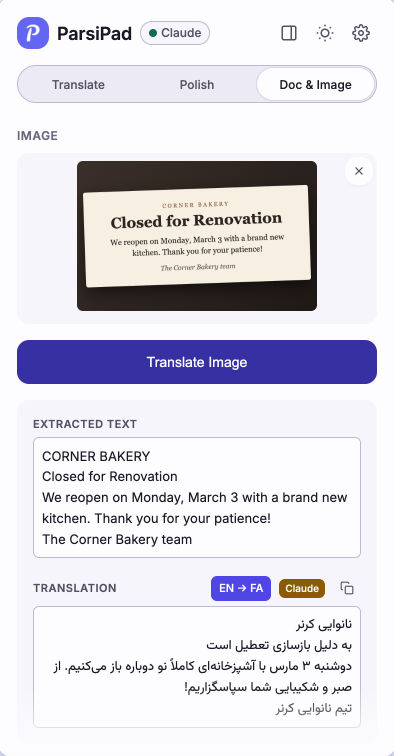
Drop or paste an image into the side panel. ParsiPad reads the text, shows you what it found, and translates it. For text on a page you cannot select, drag a box over it instead.
Screenshot translate is Alt+S
ParsiPad runs on an AI provider you choose, with your own key.
Add ParsiPad to Chrome from the Chrome Web Store. It is free.
Get a key from Anthropic, Google or OpenAI. A guide in Persian or English walks you through it, and ParsiPad tests the key before saving it.
Point at a paragraph, select a word, or right-click a page. Every action also has a keyboard shortcut.
There is no ParsiPad account and no server of ours in the middle. Your text goes to the provider you chose, and nowhere else.
Read the full privacy policy or the source code.
Yes. ParsiPad is free and open source under the MIT license, with every feature included. You pay your chosen AI provider directly for what you use, usually a few cents a day, and Gemini keys from Google AI Studio come with a free allowance.
Google Chrome and other Chromium-based browsers such as Microsoft Edge and Brave, from the Chrome Web Store, and Firefox and Firefox-based browsers such as Zen, LibreWolf and Floorp, from Firefox Add-ons. It runs on desktop computers, and is not available for Safari or on phones.
No. There is no ParsiPad account. You need an API key from Anthropic (Claude), Google (Gemini) or OpenAI (ChatGPT). A guide inside ParsiPad, in Persian or English, shows where to get one, and ParsiPad tests the key before saving it.
It goes only to the AI provider you chose, only when you ask for a translation, and only the part you asked about. There is no ParsiPad server in the middle. Your API key, history and favorites stay in your own browser.
Claude by Anthropic for nuance, Gemini by Google for speed, or ChatGPT by OpenAI for versatility. You can switch at any time in Settings.
Yes, if you turn it on in Settings. ParsiPad is built for Persian and English in both directions, and text in other languages can also be translated into Persian.
Notes on reading and writing across Persian and English, in both languages.
Free to install. Bring your own key and translate your first paragraph in minutes.
 Add ParsiPad to Chrome
Also works in Zen, LibreWolf, Floorp and other Firefox-based browsers.
